

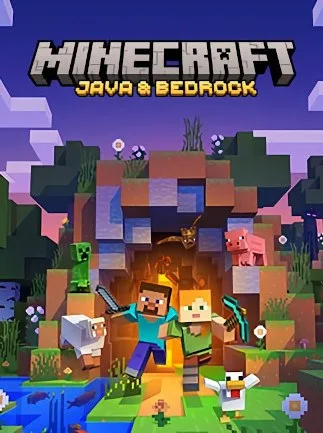
Minecraft: Java & Bedrock Edition (PC) - Microsoft Store Key - EGYPT
Region — Global key — no region restriction, activates in every country.
 Can be activated in United States
At a glance
- Region
- GlobalCheck region restrictions
- Platform
- PC
- Format
- Digital keyGenuine & region-checked
- Delivery
- Instant deliveryEmailed in ~30 seconds
- Works on
Windows
Buy Minecraft: Java & Bedrock Edition (PC) - Microsoft Store Key - EGYPT key
Minecraft: Java & Bedrock Edition (PC) - Microsoft Store Key - EGYPT
Product Overview This product provides a digital key for Minecraft: Java & Bedrock Edition for PC, redeemable via the Microsoft Store. The key is specifically designated for redemption within the EGYPT region. Upon successful redemption, users gain access to both the Java and Bedrock editions of Minecraft on their Windows PC.
Key Features Dual Edition Access: Minecraft: Java Edition Offers cross-platform play with other Java Edition users (Windows, macOS, Linux). Supports extensive community-made modifications (mods) and custom servers. Features unique game mechanics and content not always present in Bedrock Edition upon initial release. Minecraft: Bedrock Edition Enables cross-platform multiplayer with players on other Bedrock Edition devices (Xbox, PlayStation, Nintendo Switch, mobile, other PCs). Provides access to the in-game Marketplace for purchasable skins, texture packs, and worlds. Supports Realms for persistent multiplayer servers with subscription. Platform: PC (Windows operating systems). Distribution Method: Digital key, redeemable through the Microsoft Store. Region Lock: Key is valid for redemption in EGYPT only. Gameplay: Users can engage in survival, creative, adventure, and spectator game modes. The core gameplay loop involves exploring procedurally generated worlds, gathering resources, crafting items, and building structures. Multiplayer: Both editions support multiplayer experiences, though the methods and cross-platform compatibility differ as outlined above.
System Requirements (Note: Specific minimum and recommended system requirements for Minecraft: Java & Bedrock Edition are available on the official Minecraft website or Microsoft Store product page and should be consulted prior to purchase to ensure compatibility.)
How to activate Minecraft: Java & Bedrock Edition (PC) - Microsoft Store Key - EGYPT on Microsoft / Xbox
- 01
Buy & receive your code
Complete checkout — your code lands in your inbox in ~30 seconds, and is always available under Orders in your Gameplug account.
- 02
Open redeem.microsoft.com
Sign in with the Microsoft account you game with (or on console: Store → press the View button → "Redeem").
- 03
Enter the 25-character code
Codes look like XXXXX-XXXXX-XXXXX-XXXXX-XXXXX. Select Next and confirm — the product or credit is applied.
- 04
Find it
Money goes to your Microsoft account balance; games appear in your library. Only Xbox Play Anywhere games include the PC version.
Code not working? Contact support — confirmed-invalid codes are replaced or refunded.







