

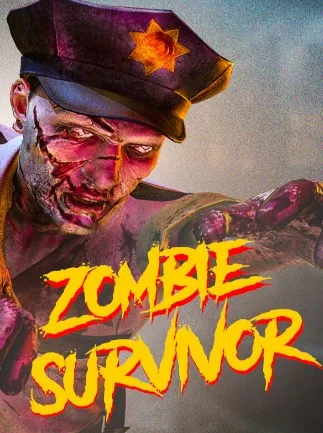
Zombie Survivor: Undead City Attack (PC) - Steam Key - GLOBAL - Russian Language
Region — Global key — no region restriction, activates in every country.
 Can be activated in United States
 Windows
Buy Zombie Survivor: Undead City Attack (PC) - Steam Key - GLOBAL - Russian Language key
Zombie Survivor: Undead City Attack - Steam Key Prepare for a relentless fight for survival in Zombie Survivor: Undead City Attack ! This action-packed first-person shooter puts you at the heart of a city overrun by hordes of the undead. Scavenge for resources, craft powerful weapons, and build a fortified base to withstand the nightly onslaught. This is a Steam Key for global access. Key Features: Intense Zombie Combat: Face relentless waves of diverse zombie types, each with unique behaviors and weaknesses. Resource Management and Crafting: Scavenge for essential resources like food, ammunition, and building materials. Craft weapons, tools, and fortifications to enhance your survival chances. Base Building and Defense: Construct and fortify your base to protect yourself from the nightly zombie attacks. Build walls, traps, and automated defenses to create a stronghold. Open World Exploration: Explore a sprawling city environment, uncovering hidden locations, valuable resources, and dangerous encounters. Weapon Variety: Utilize a wide array of weapons, from melee weapons like axes and baseball bats to firearms like pistols, shotguns, and assault rifles. Global Access: This Steam key provides access to the game worldwide. Platform: PC (Steam) System Requirements: (Please refer to the game's Steam page for detailed minimum and recommended system requirements.) Generally, expect to need: A relatively modern processor, sufficient RAM (8GB+ recommended), and a dedicated graphics card with at least 2GB of VRAM. Activation Instructions: Launch the Steam client software and log into your Steam account. Click the "Games" menu option at the top of the Steam client. Choose "Activate a Product on Steam..." Follow the onscreen instructions to complete the process. Survive the apocalypse. Reclaim the city. Get your Steam key for Zombie Survivor: Undead City Attack today!
How to activate Zombie Survivor: Undead City Attack (PC) - Steam Key - GLOBAL - Russian Language on Steam
- 01
Buy & receive your code
Complete checkout — your code lands in your inbox in ~30 seconds, and is always available under Orders in your Gameplug account.
- 02
Open Steam
In the Steam app: "+ Add a Game" (bottom left) → "Activate a Product on Steam..." (or use the web link below).
- 03
Enter your key
Paste the key (format XXXXX-XXXXX-XXXXX) and accept the Steam Subscriber Agreement.
- 04
Install & play
The game joins your library permanently — install it on any machine you sign in to.
Code not working? Contact support — confirmed-invalid codes are replaced or refunded.







