

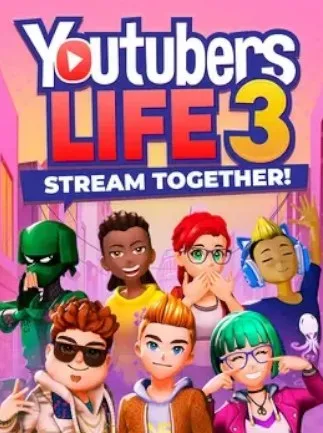
Youtubers Life 3 - Stream Together! (PC) - Steam Key - GLOBAL
Region — Global key — no region restriction, activates in every country.
 Can be activated in United States
 Windows
Buy Youtubers Life 3 - Stream Together! (PC) - Steam Key - key
Youtubers Life 3 - Stream Together! (PC) - Steam Key - GLOBAL
Product Overview: Youtubers Life 3 - Stream Together! is a simulation game developed by UPLAY Online and published by Raiser Games. This installment builds upon previous titles, allowing players to create and manage a virtual YouTube channel, growing their online presence from humble beginnings to internet stardom. The game focuses on content creation, channel management, and interacting with a simulated online community.
Key Features: Content Creation: Players can create various types of video content, including gameplay videos, unboxings, reviews, and vlogs. The game features mini-games and mechanics simulating the recording, editing, and uploading process. Channel Management: Manage your channel's analytics, optimize video titles and descriptions for engagement, and schedule content releases. Monitor subscriber growth, video views, and income. Personalization: Customize your in-game avatar and your content creation studio. As your channel grows, unlock new equipment, decorations, and clothing options. Social Interaction: Engage with a simulated online audience through comments and social media posts. Respond to trends and viewer feedback to maintain relevance. Simulated Economy: Earn revenue through advertising, sponsorships, and merchandise sales within the game. Manage your finances to upgrade equipment, rent new spaces, and invest in your channel. Expansive City: Explore a new open-world city with various locations and events. Interact with NPCs and discover opportunities for content creation. Streamer Collaboration: The "Stream Together!" mechanic allows for simulated collaborations with other in-game content creators, expanding your reach and audience. Regular Updates: The game is designed to receive ongoing updates, introducing new content types, challenges, and features post-launch.…
How to activate Youtubers Life 3 - Stream Together! (PC) - Steam Key - on Steam
- 01
Buy & receive your code
Complete checkout — your code lands in your inbox in ~30 seconds, and is always available under Orders in your Gameplug account.
- 02
Open Steam
In the Steam app: "+ Add a Game" (bottom left) → "Activate a Product on Steam..." (or use the web link below).
- 03
Enter your key
Paste the key (format XXXXX-XXXXX-XXXXX) and accept the Steam Subscriber Agreement.
- 04
Install & play
The game joins your library permanently — install it on any machine you sign in to.
Code not working? Contact support — confirmed-invalid codes are replaced or refunded.







