You Suck at Parking (PC) - Steam Key - MEA
Region — The redemption region depends on the edition — check the available offers below.
 Cannot be activated in United States
 Windows
Buy You Suck at Parking (PC) - Steam Key - MEA key
You Suck at Parking (PC) - Steam Key - MEA
Description
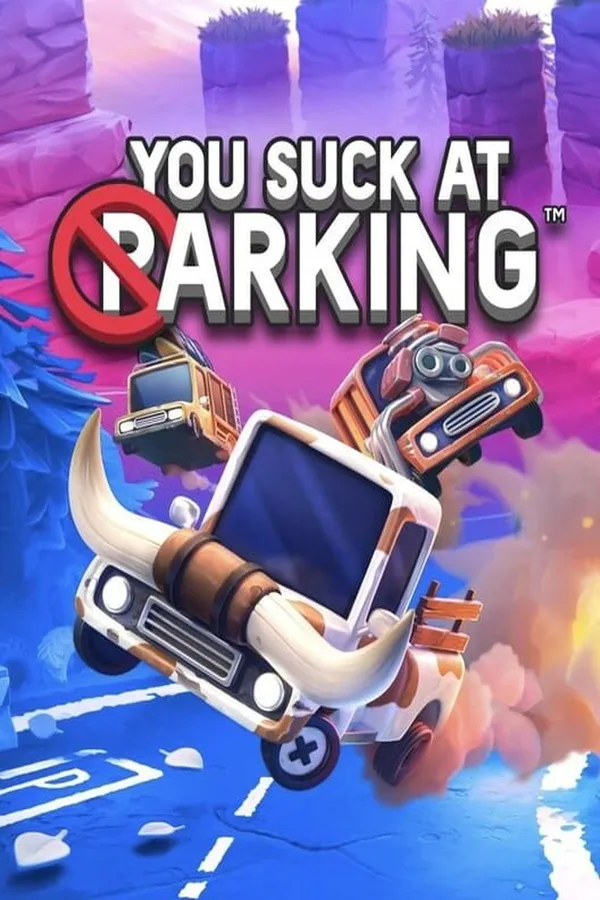
You Suck at Parking™ is a physics-based puzzle game developed by Happy Volcano and published by Fireshine Games. This listing provides a Steam key redeemable for the PC version of the game in the MEA (Middle East and Africa) region.
Key Features:
Physics-Based Parking Mayhem: Experience challenging parking scenarios driven by realistic physics. Precision and control are key to success, or glorious failure. Over 100 Levels: Navigate a wide variety of increasingly difficult levels, each presenting unique obstacles and parking challenges. Multiplayer Chaos: Compete against other players in online multiplayer modes. Test your parking skills against the best (or worst) drivers in the world. Customization: Unlock and customize your vehicles with a variety of skins and accessories. Express your (questionable) parking style. Progression System: Earn rewards and unlock new content as you master the art of parking... or at least attempt to.
System Requirements: Please consult the official Steam page for You Suck at Parking™ for detailed system requirements before purchase. This ensures compatibility with your PC.
Platform: Steam
Region: MEA (Middle East and Africa)
Delivery: This is a digital product. Upon successful purchase and payment, you will receive a Steam key that can be redeemed on the Steam platform.
Redemption Instructions:
Open the Steam client and log in to your account. Click the "Add a Game..." button in the bottom left corner of the Steam window. Select "Activate a Product on Steam..." Follow the on-screen instructions to enter your product key. The game will be added to your Steam library and available for download.…
How to activate You Suck at Parking (PC) - Steam Key - MEA on Steam
- 01
Buy & receive your code
Complete checkout — your code lands in your inbox in ~30 seconds, and is always available under Orders in your Gameplug account.
- 02
Open Steam
In the desktop client: top-left menu "Games" → "Activate a Product on Steam…" (or use the web link below).
- 03
Enter your key
Paste the key (format XXXXX-XXXXX-XXXXX) and accept the Steam Subscriber Agreement.
- 04
Install & play
The game joins your library permanently — install it on any machine you sign in to.
Code not working? Contact support — confirmed-invalid codes are replaced or refunded.