

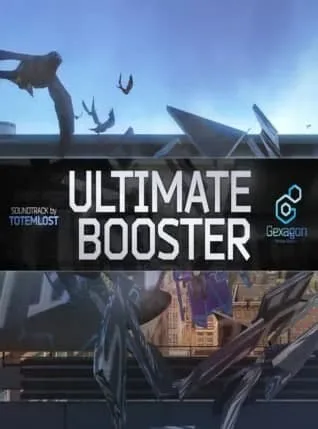
Ultimate Booster Experience VR Steam Global
Region — Global key — no region restriction, activates in every country.
 Can be activated in United States
At a glance
- Region
- GlobalCheck region restrictions
- Platform
- PC
- Format
- Digital keyGenuine & region-checked
- Delivery
- Instant deliveryEmailed in ~30 seconds
- Works on
Windows
Buy Ultimate Booster Experience VR Steam Global key
Ultimate Booster Experience VR: Steam Global
Key Features: Platform: Steam Region: Global (playable worldwide) VR Optimized: Immersive virtual reality gameplay for enhanced realism and engagement. Action-Packed Gameplay: Experience intense and dynamic challenges requiring skill and reflexes. Variety of Game Modes: Enjoy diverse gameplay experiences through multiple game modes offering replayability. Customizable Controls: Configure controls to match your preferred playstyle for optimal comfort and precision. Regular Updates: Expect ongoing content updates, including new challenges, game modes, and features. High-Quality Graphics: Immerse yourself in a visually stunning and detailed virtual environment.
What You Get: A Steam key for the Ultimate Booster Experience VR game. Access to all available game features and content at the time of purchase. Future updates and additions delivered directly through Steam.
System Requirements (Minimum): (Note: Specific requirements will be listed on the Steam store page prior to purchase. Please check there for the most up-to-date information.)
About Ultimate Booster Experience VR: Ultimate Booster Experience VR offers an unparalleled virtual reality gaming experience. This isn't just another VR game; it's a meticulously crafted title designed to provide hours of thrilling, engaging gameplay. Whether you're a seasoned VR veteran or a newcomer, this title provides a rewarding and challenging experience. Its robust design ensures long-term replayability and offers a high-value proposition for virtual reality enthusiasts.
Disclaimer: This product is a digital download. No physical items will be shipped. Requires a compatible VR headset and a Steam account. System requirements are subject to change. Please refer to the official Steam store page for the most accurate and up-to-date information.
How to activate Ultimate Booster Experience VR Steam Global on Steam
- 01
Buy & receive your code
Complete checkout — your code lands in your inbox in ~30 seconds, and is always available under Orders in your Gameplug account.
- 02
Open Steam
In the Steam app: "+ Add a Game" (bottom left) → "Activate a Product on Steam..." (or use the web link below).
- 03
Enter your key
Paste the key (format XXXXX-XXXXX-XXXXX) and accept the Steam Subscriber Agreement.
- 04
Install & play
The game joins your library permanently — install it on any machine you sign in to.
Code not working? Contact support — confirmed-invalid codes are replaced or refunded.







