 Cannot be activated in United States
 Windows
Screenshots & trailer
Buy Trainz Railroad Simulator 2019 account
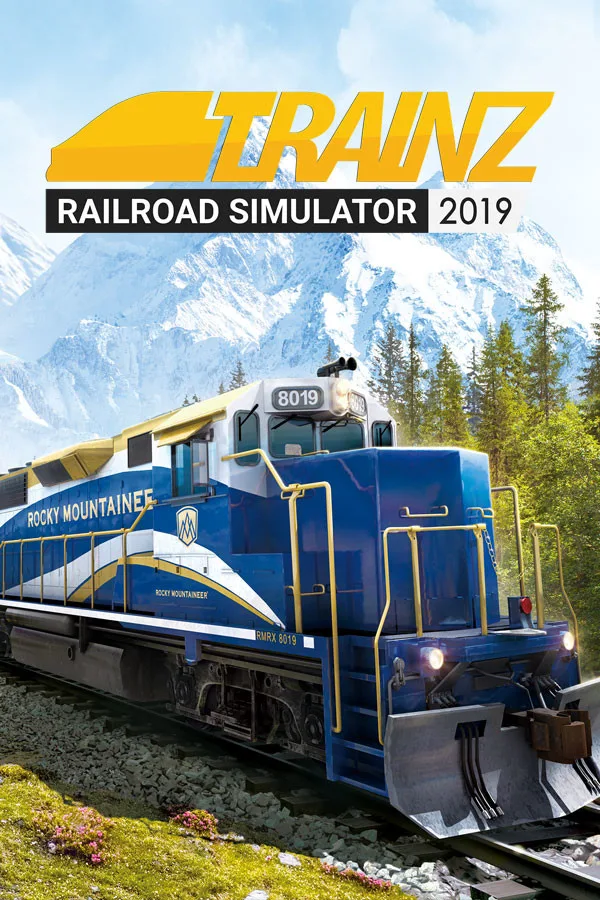
Welcome to the latest (and best ever) release of Trainz Railroad Simulator, keeping railroad fans engrossed since 2001!
Whether you want to drive trains, operate a railroad with dozens of AI drivers, or create your own dream railroad masterpiece with the world's friendliest building tools, TRS19 has something for everyone.Trainz Railroad Simulator 2019 (World Edition) includes 6 built-in routes*
Over 40 interactive sessions
130+ drivable locos
500+ rolling stock items
Over 17,000 items in total
* One route is installed in the base install. The 5 additional routes (plus any previously purchased Trainz DLC items) are available, free, for in-game download.Regional Bundles Also Available Trainz Railroad Simulator 2019 - North American Edition
Trainz Railroad Simulator 2019 - UK Edition
Trainz Railroad Simulator 2019 - European Edition GAME FEATURES
Drive over 130 different locos
Choose simple or realistic control modes
Issue Driver Commands to your AI Drivers to run dozens of trains
Edit the existing routes or create your own masterpiece
Download more free content from the Trainz Download Station
It also features:
updated graphics
smoother performance
better stability
new tools
support for your existing Trainz content WHAT'S NEW IN TRS19? MORE REALISM
A massive engine upgrade delivers more realistic graphics:
Physically-Based Rendering allows accurately simulated lighting for photorealistic graphics, all in real-time.
Parallax Mapping provides extreme detail made possible by textured heightmaps.
Detail Maps enhance visuals with macro or micro surface detail.
Environment Lighting gives greater control for direct, indirect and High Dynamic Range lighting.
NEW WORLD BUILDING TOOLS
NVIDIA Turf Effects empowers route builders to simulate realistic ground cover on a vast scale.
Lay down Animated Ground Cover that waves in the wind.
Customisable Ground Clutter fills your route with micro-detailed objects.…
How to activate Trainz Railroad Simulator 2019 on Steam
- 01
Buy & receive your code
Complete checkout — your code lands in your inbox in ~30 seconds, and is always available under Orders in your Gameplug account.
- 02
Open Steam
In the desktop client: top-left menu "Games" → "Activate a Product on Steam…" (or use the web link below).
- 03
Enter your key
Paste the key (format XXXXX-XXXXX-XXXXX) and accept the Steam Subscriber Agreement.
- 04
Install & play
The game joins your library permanently — install it on any machine you sign in to.
Code not working? Contact support — confirmed-invalid codes are replaced or refunded.
Trainz Railroad Simulator 2019 system requirements
All sellers
 EuropeEurope5 in stock