

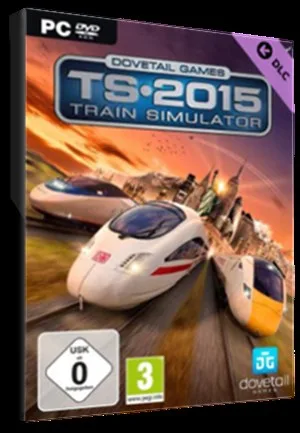
Train Simulator: Duchess of Sutherland Loco Steam Key - ROW
Region — Activates worldwide EXCEPT in countries that have their own dedicated regional edition.
 Can be activated in United States
 Windows
Buy Train Simulator: Duchess of Sutherland Loco Steam Key - key
Train Simulator: Duchess of Sutherland Loco Steam Key - ROW
Experience the thrill of piloting a true icon of British steam with the Duchess of Sutherland Locomotive for Train Simulator. This meticulously crafted add-on brings the power and grandeur of this famous locomotive to your virtual railway.
Key Features: Authentic Recreation: A highly detailed and accurate model of the Duchess of Sutherland, built using original drawings and historical records. Realistic Controls: Master the art of steam engine operation with fully functional controls, including the regulator, reverser, and brake systems. Detailed Cab: Immerse yourself in the driver's seat with a painstakingly recreated cab environment. Custom Sounds: Experience the roar and rumble of the Duchess of Sutherland with authentic sound recordings. Varied Liveries: Includes multiple liveries representing different periods of the locomotive's history. Scenarios Included: Comes with a selection of challenging scenarios to test your skills on various routes within Train Simulator.
System Requirements: Requires the base Train Simulator game on Steam in order to play. Please ensure you meet the minimum system requirements for Train Simulator before purchasing.
Region: ROW (Rest of World): This Steam key is valid for use in regions outside of specific restricted territories. Please check Steam's region restrictions before purchase to ensure compatibility.
Activation: Purchase the Duchess of Sutherland Loco Steam Key. Redeem the key on Steam to add the DLC to your Train Simulator library. Download and install the add-on through Steam. Launch Train Simulator and select the Duchess of Sutherland locomotive in your scenario.
Don't miss the opportunity to own and operate one of the most iconic steam locomotives ever built. Add the Duchess of Sutherland to your Train Simulator collection today!
How to activate Train Simulator: Duchess of Sutherland Loco Steam Key - on Steam
- 01
Buy & receive your code
Complete checkout — your code lands in your inbox in ~30 seconds, and is always available under Orders in your Gameplug account.
- 02
Open Steam
In the desktop client: top-left menu "Games" → "Activate a Product on Steam…" (or use the web link below).
- 03
Enter your key
Paste the key (format XXXXX-XXXXX-XXXXX) and accept the Steam Subscriber Agreement.
- 04
Install & play
The game joins your library permanently — install it on any machine you sign in to.
Code not working? Contact support — confirmed-invalid codes are replaced or refunded.







