

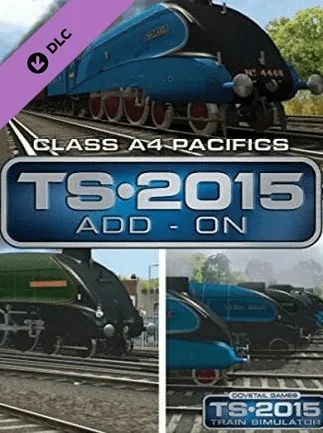
Train Simulator: Class A4 Pacifics Loco Steam Key - ROW
Region — Activates worldwide EXCEPT in countries that have their own dedicated regional edition.
 Can be activated in United States
 Windows
Buy Train Simulator: Class A4 Pacifics Loco Steam Key - key
Train Simulator: Class A4 Pacifics Loco Steam Key - ROW
Experience the golden age of British steam with the Train Simulator: Class A4 Pacifics Loco Add-on. This DLC brings the iconic LNER Class A4 locomotives to your Train Simulator world, allowing you to drive these record-breaking machines across classic British railway routes.
Key Features: Highly Detailed Model: Faithfully recreated Class A4 Pacific locomotive, capturing the iconic streamlined design and intricate details. Authentic Driving Experience: Experience realistic handling and performance based on historical data. Master the fireman's art of coal firing to maintain steam pressure and keep your train on schedule. Realistic Sounds: Immersive sound effects recorded from real Class A4 engines bring the locomotive to life. Multiple Liveries: Drive the A4 Pacifics in various historically accurate liveries. Quick Drive Compatible: Instantly drive the A4 on any Quick Drive enabled route within Train Simulator.
Locomotive Details: Class: LNER Class A4 Pacific Wheel Arrangement: 4-6-2 Top Speed: Officially 100mph (achieved by Mallard) Era: 1930s - 1960s Included Scenarios: This add-on may include dedicated scenarios. (Check specific route requirements for scenario availability)
System Requirements: This is a DLC add-on for Train Simulator. The base game, Train Simulator , is required to play this content.
Region: This Steam key is valid for use in the Rest of World (ROW) region.
Activation: Purchase the Train Simulator: Class A4 Pacifics Loco Steam Key - ROW. Redeem the key on your Steam account. Download and install the add-on through Steam. Launch Train Simulator and select the Class A4 Pacifics Loco.
Immerse yourself in the history of British steam railways with the Class A4 Pacifics! Add this iconic locomotive to your Train Simulator collection today.
How to activate Train Simulator: Class A4 Pacifics Loco Steam Key - on Steam
- 01
Buy & receive your code
Complete checkout — your code lands in your inbox in ~30 seconds, and is always available under Orders in your Gameplug account.
- 02
Open Steam
In the desktop client: top-left menu "Games" → "Activate a Product on Steam…" (or use the web link below).
- 03
Enter your key
Paste the key (format XXXXX-XXXXX-XXXXX) and accept the Steam Subscriber Agreement.
- 04
Install & play
The game joins your library permanently — install it on any machine you sign in to.
Code not working? Contact support — confirmed-invalid codes are replaced or refunded.







