

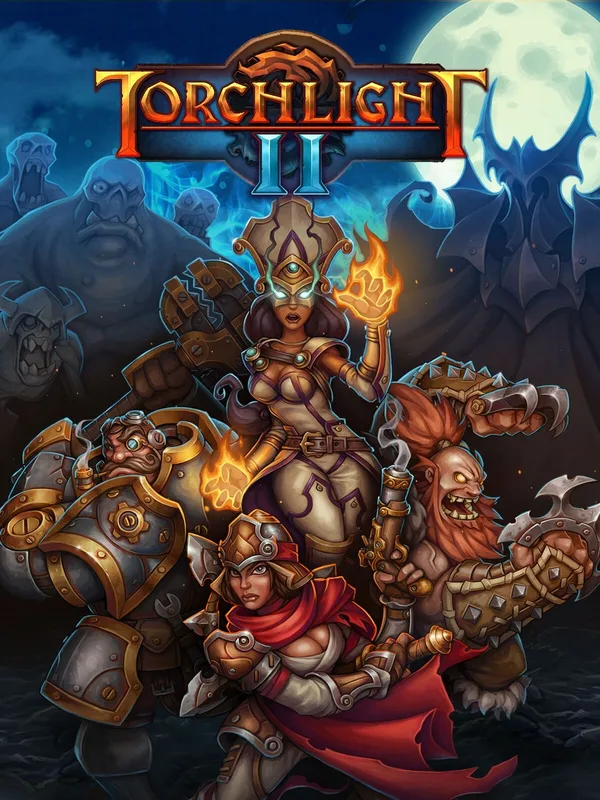
Torchlight II (PC) - Steam Key - RU/CIS
Region — Activates in Russia & the CIS region.
 Cannot be activated in United States
 Windows
Buy Torchlight II (PC) - Steam Key - RU/CIS key
: Torchlight II is a critically acclaimed action RPG known for its fast-paced combat, deep character customization, and engaging loot system. Experience a vibrant fantasy world filled with diverse creatures, challenging dungeons, and a wealth of equipment to discover. Build your character using a variety of classes and skills, adapting your playstyle to overcome the many threats you will face.
Gameplay Highlights: Four Character Classes: Choose from the Engineer, Destroyer, Embermage, and Outlander, each with unique abilities and playstyles. Extensive Skill Trees: Customize your character's skills and abilities to create a uniquely powerful hero. Randomized Dungeons and Loot: Explore procedurally generated dungeons filled with valuable treasure and challenging enemies. No two playthroughs are ever quite the same. Pet System: Companion pets assist in combat, gather loot, and provide valuable support. Multiplayer Co-op: Team up with friends to conquer challenging dungeons and share the spoils of victory.
What's Included: This listing provides a Steam key for Torchlight II, valid for activation within the RU/CIS region. Please ensure your Steam account region is set appropriately before activating.
System Requirements: ( Check the Steam page for the most up-to-date requirements. ) Minimum: OS: Windows XP Processor: 2.0 GHz Memory: 2 GB RAM Graphics: 256 MB DirectX 9.0c compliant video card DirectX®: 9.0c Storage: 2 GB available space
Recommended: OS: Windows 7 Processor: 2.4 GHz+ Memory: 4 GB RAM Graphics: 512 MB DirectX 9.0c compliant video card or better DirectX®: 9.0c Storage: 2 GB available space
How to activate Torchlight II (PC) - Steam Key - RU/CIS on Steam
- 01
Buy & receive your code
Complete checkout — your code lands in your inbox in ~30 seconds, and is always available under Orders in your Gameplug account.
- 02
Open Steam
In the desktop client: top-left menu "Games" → "Activate a Product on Steam…" (or use the web link below).
- 03
Enter your key
Paste the key (format XXXXX-XXXXX-XXXXX) and accept the Steam Subscriber Agreement.
- 04
Install & play
The game joins your library permanently — install it on any machine you sign in to.
Code not working? Contact support — confirmed-invalid codes are replaced or refunded.







