

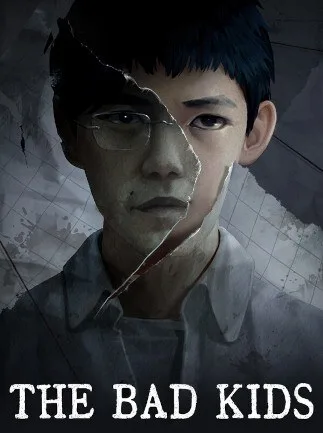
The Bad Kids (PC) - Steam Key - GLOBAL
Region — Global key — no region restriction, activates in every country.
 Can be activated in United States
At a glance
- Region
- GlobalCheck region restrictions
- Platform
- PC
- Format
- Digital keyGenuine & region-checked
- Delivery
- Instant deliveryEmailed in ~30 seconds
- Works on
Windows
Buy The Bad Kids (PC) - Steam Key - key
The Bad Kids (PC) - Steam Key - GLOBAL
Experience life on the fringes in The Bad Kids , a gritty, narrative-driven adventure where every choice shapes your destiny. Navigate the complex social landscape of a deprived community and forge your own path in a world that seems determined to break you.
Key Features:
Branching Narrative: Your decisions have real consequences, leading to multiple endings and a personalized story. Character-Driven Story: Interact with a diverse cast of memorable characters, each with their own motivations and secrets. Build relationships or create enemies – the choice is yours. Moral Dilemmas: Confront difficult choices that challenge your own values and force you to consider the consequences of your actions. There's no easy answer, and every option has a price. Explore a Dynamic World: Uncover hidden areas, discover secrets, and learn the history of the community you inhabit. The environment itself tells a story. Steam Key - Global: Activate and play The Bad Kids from anywhere in the world.
Gameplay Highlights:
Dialogue System: Engage in nuanced conversations that shape relationships and influence the narrative. Resource Management: Make tough decisions on how to allocate scarce resources, impacting your survival and success. Investigation: Unravel mysteries and uncover secrets through exploration and careful observation.
System Requirements: (Please note: Specific system requirements can be found on the Steam store page after redeeming your key.)
Activation: Purchase The Bad Kids Steam Key. Log in to your Steam account. Click the "+ Add a Game..." button in the bottom-left corner of the Steam window. Select "Activate a Product on Steam..." Follow the on-screen instructions to enter your Steam Key. The Bad Kids will be added to your Steam library and ready for download.
How to activate The Bad Kids (PC) - Steam Key - on Steam
- 01
Buy & receive your code
Complete checkout — your code lands in your inbox in ~30 seconds, and is always available under Orders in your Gameplug account.
- 02
Open Steam
In the Steam app: "+ Add a Game" (bottom left) → "Activate a Product on Steam..." (or use the web link below).
- 03
Enter your key
Paste the key (format XXXXX-XXXXX-XXXXX) and accept the Steam Subscriber Agreement.
- 04
Install & play
The game joins your library permanently — install it on any machine you sign in to.
Code not working? Contact support — confirmed-invalid codes are replaced or refunded.







