

 SteamGlobal
Spriter: Radius-Wing SHMUP Animated Art Pack Key Steam
Region — Global key — no region restriction, activates in every country.
 Can be activated in United States
At a glance
- Region
- GlobalCheck region restrictions
- Platform
- PCSteam
- Format
- Digital keyGenuine & region-checked
- Delivery
- Instant deliveryEmailed in ~30 seconds
- Works on
Buy Spriter: Radius-Wing SHMUP Animated Art Pack Key Steam key
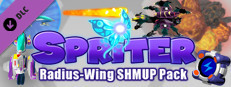
Spriter: Radius-Wing SHMUP Animated Art Pack Steam CD Key Platform: Steam Release Date: 20/10/2016 Product Description With BrashMonkey's Radius-Wing SHMUP Art Pack, you can mix and match 6 separate components from a large array of designs to create a custom space ship reminiscent to those seen in classic arcade shoot-em-up games.Once you've arrived at your ideal design, you can choose from many thousands of possible color combinations to finalize your custom space ship. Many hundreds of thousands of possible color combinations combined with over 200 thousand possible component combinations means the possible ship variations are nearly endless. Advanced users can even customize component images or create custom color palettes to permanently increase the possibilities.After just a few quick swipes of the mouse your awesome fighter-ship will take shape before your eyes in the form of a high res, smooth 32 frame rotation animation, which you can then export for your game. Keep it large for cinematic or title-screens, and reduce it down to create your actual in-game space-ship sprite. Use the exported frames for either full in-game barrel-rolls or for subtle leaning as the player deftly maneuvers their ship between the onslaught of enemy fire.With so many possible design and color combinations, you can not only create a large variety of ships for your player to pilot, but also a whole evil armada for them to send packing back to their sector.This Art Pack also includes an impressive assortment of player shots, mussel flashes, impact effects, explosions, force-field effects and a collection of 3d rendered rotating power-up capsules which can be color-customized in the same manner as the ships themselves.With Spriter, you can creatively flip, rotate, scale and combine any of the thousand-plus images included in this pack to create and animate all kinds of cool stuff for your next SHMUP project.…
How to activate Spriter: Radius-Wing SHMUP Animated Art Pack Key Steam on Steam
- 01
Buy & receive your code
Complete checkout — your code lands in your inbox in ~30 seconds, and is always available under Orders in your Gameplug account.
- 02
Open Steam
In the Steam app: "+ Add a Game" (bottom left) → "Activate a Product on Steam..." (or use the web link below).
- 03
Enter your key
Paste the key (format XXXXX-XXXXX-XXXXX) and accept the Steam Subscriber Agreement.
- 04
Install & play
The game joins your library permanently — install it on any machine you sign in to.
Code not working? Contact support — confirmed-invalid codes are replaced or refunded.







