

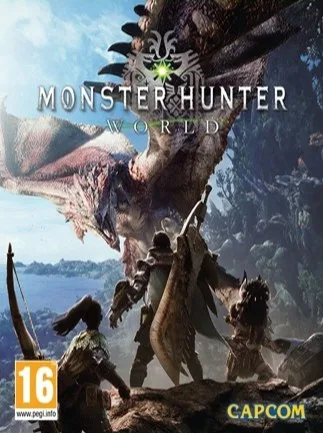
Monster Hunter World Day One Edition (PC) - Steam Key - GLOBAL
Region — Global key — no region restriction, activates in every country.
 Can be activated in United States
At a glance
- Region
- GlobalCheck region restrictions
- Platform
- PC
- Format
- Digital keyGenuine & region-checked
- Delivery
- Instant deliveryEmailed in ~30 seconds
- Works on
Windows
Buy Monster Hunter World Day One Edition (PC) - Steam Key - key
Monster Hunter World: Day One Edition - PC (Steam Key)
Embark on an Epic Hunting Adventure
The Monster Hunter World: Day One Edition for PC delivers a thrilling action RPG experience where you hunt ferocious monsters in a vast and dynamic ecosystem. As a hunter, you'll accept quests to track down and slay increasingly challenging creatures using a variety of weapons and armor crafted from their remains. This Steam key provides access to the full game, globally.
Key Features:
Vast and Living World: Explore diverse biomes, each teeming with unique monsters and environmental challenges. Strategic Combat: Master 14 different weapon types, each with unique movesets and playstyles. Dynamic Ecosystem: Monsters interact with each other and the environment, creating unpredictable and engaging encounters. Deep Customization: Craft and upgrade your hunter's armor and weapons using materials gathered from hunts. Cooperative Multiplayer: Team up with up to three other hunters online to tackle the most formidable monsters. Day One Edition Content: Receive bonus content to enhance your hunting experience ( see details below ). Global Key: This Steam key is region-free and can be activated worldwide.
Day One Edition Bonus Content:
Origin Armor Set Fair Wind Charm
The Origin Armor Set offers boosted defense at the beginning of your adventure. The Fair Wind Charm provides useful skills that will help you survive in the New World.
System Requirements:
(Please refer to the Steam store page for the latest and most accurate system requirements.)
Activation Instructions:
Log into your Steam account. Click the "+ Add a Game..." button in the bottom left corner. Select "Activate a Product on Steam..." Follow the on-screen instructions to enter your Steam key. Download and install Monster Hunter World.
This is a digital product. No physical disc is included.
How to activate Monster Hunter World Day One Edition (PC) - Steam Key - on Steam
- 01
Buy & receive your code
Complete checkout — your code lands in your inbox in ~30 seconds, and is always available under Orders in your Gameplug account.
- 02
Open Steam
In the Steam app: "+ Add a Game" (bottom left) → "Activate a Product on Steam..." (or use the web link below).
- 03
Enter your key
Paste the key (format XXXXX-XXXXX-XXXXX) and accept the Steam Subscriber Agreement.
- 04
Install & play
The game joins your library permanently — install it on any machine you sign in to.
Code not working? Contact support — confirmed-invalid codes are replaced or refunded.







