

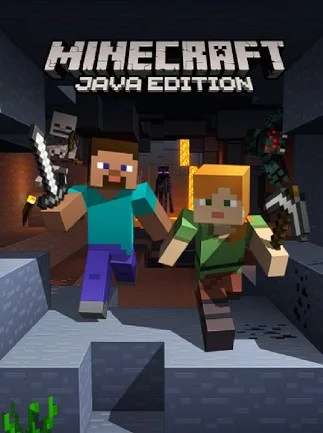
Minecraft | Java Edition (PC) - Minecraft Key - EUROPE
Region — Activates across Europe (EU / EEA countries).
 Cannot be activated in United States
 Windows
Buy Minecraft | Java Edition (PC) - Minecraft Key - EUROPE key
Minecraft | Java Edition (PC) - Europe Key
Key Features: Official Minecraft Java Edition: Get the original and most complete Minecraft experience. PC/Mac Compatibility: Play on your Windows or macOS computer. Europe Region Activation: This key is specifically designed for activation within the European region. Unlimited Creative Potential: Build anything imaginable in creative mode, from towering castles to intricate redstone contraptions. Challenging Survival Mode: Test your skills in survival mode, facing dangers from night creatures and resource management. Multiplayer Capabilities: Join servers with friends and other players to collaborate and compete. Regular Updates: Benefit from ongoing updates, including new features, content, and bug fixes. Modding Support: Expand your gameplay with thousands of community-created mods. Cross-platform play with Bedrock Edition: (With limitations) Play with friends using Minecraft Bedrock Edition on other platforms, such as mobile, consoles, or Windows 10 (note that features may vary between editions).
What you will receive: A single-use Minecraft Java Edition game key for PC/Mac. Instructions for easy key redemption via your Mojang account.
Important Notes: This key is region-locked to Europe. Activation outside this region will not be possible. Requires a Mojang account for activation and play. Internet connection is required for initial activation and online multiplayer. System requirements should be checked before purchasing.
About Minecraft: A digital sandbox world: Minecraft is a globally recognized game where you craft, create, and explore in a blocky, pixelated world. From mining resources to building magnificent structures, Minecraft offers endless possibilities limited only by your imagination. Dive into the game’s unique aesthetic and experience the creativity that has captivated millions of players worldwide.
How to activate Minecraft | Java Edition (PC) - Minecraft Key - EUROPE on Minecraft / Microsoft
- 01
Buy & receive your code
Complete checkout — your code lands in your inbox in ~30 seconds, and is always available under Orders in your Gameplug account.
- 02
Open minecraft.net/redeem
Sign in with your Microsoft account.
- 03
Enter your code
The game or Minecoins are applied to your account.
Code not working? Contact support — confirmed-invalid codes are replaced or refunded.
All sellers
 EuropeEuropeUnavailable







