

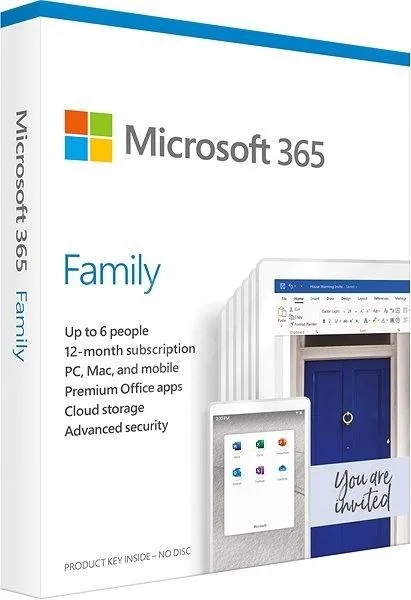
Microsoft 365 Family (PC/MAC/Android/iOS) - 6 Users 5 Devices (30 devices) - 1 year - Microsoft key - Europe
Region — Activates across Europe (EU / EEA countries).
 Cannot be activated in United States
 Windows
Buy Microsoft 365 Family (PC/MAC/Android/iOS) - 6 Users 5 Devices (30 devices) - 1 year - Microsoft key - Europe key
Microsoft 365 Family: Empower Your Connected Life
Access the power of Microsoft 365 Family, designed for families needing premium productivity and collaboration tools across multiple devices. This one-year subscription grants six users access to the full suite of applications, perfect for households sharing work, school, and creative projects.
Key Features: Full Office Suite: Includes Word, Excel, PowerPoint, Outlook, OneNote, and more – all the tools your family needs for work, school, and personal projects. Cross-Platform Compatibility: Access your documents and work seamlessly across PCs, Macs, Android, and iOS devices. Enhanced Security: Benefit from built-in security features to protect your data and privacy. 1 TB of OneDrive Cloud Storage: Share and collaborate on files easily with ample cloud storage for everyone. 6 User Licenses: Up to six family members can enjoy full access to the subscription. 5 Device Access: Each user can use the software across five devices simultaneously. Family Safety Features: (Note: specific features may vary, please check Microsoft’s official website for the latest details) 30 Device Sign-Ins: Greater flexibility for device use across the family.
What You Get: One-year subscription key for Microsoft 365 Family. Access to all Microsoft 365 Family features and applications. Digital download and activation.
System Requirements: Please refer to the Microsoft website for detailed system requirements for each application and operating system.
Important Information: Region: This key is valid for activation within the European region only. Activation: Follow the instructions provided after purchase to redeem your key and activate your subscription. Support: Microsoft provides customer support for Microsoft 365. Contact information can be found on their website.…
How to activate Microsoft 365 Family (PC/MAC/Android/iOS) - 6 Users 5 Devices (30 devices) - 1 year - Microsoft key - Europe on Microsoft / Xbox
- 01
Buy & receive your code
Complete checkout — your code lands in your inbox in ~30 seconds, and is always available under Orders in your Gameplug account.
- 02
Open redeem.microsoft.com
Sign in with the Microsoft account you game with (or on console: Store → "Redeem").
- 03
Enter the 25-character code
Codes look like XXXXX-XXXXX-XXXXX-XXXXX-XXXXX. Confirm, and the product/credit is applied.
- 04
Play anywhere
Games and Game Pass apply across Xbox console and Windows under the same account.
Code not working? Contact support — confirmed-invalid codes are replaced or refunded.
All sellers
 EuropeEuropeUnavailable







