

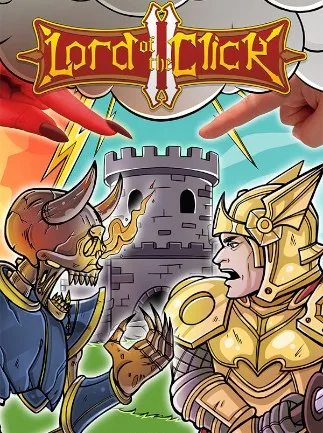
Lord of the Click 2 (PC) - Steam Key - GLOBAL
Region — Global key — no region restriction, activates in every country.
 Can be activated in United States
At a glance
- Region
- GlobalCheck region restrictions
- Platform
- PC
- Format
- Digital keyGenuine & region-checked
- Delivery
- Instant deliveryEmailed in ~30 seconds
- Works on
Windows
Buy Lord of the Click 2 (PC) - Steam Key - key
Lord of the Click 2 (PC) - Steam Key - GLOBAL
Overview: Lord of the Click 2 is a real-time strategy (RTS) game developed for the PC platform. It is available as a Steam Key, redeemable globally. The game features single-player gameplay focused on resource management, base building, and unit deployment against AI opponents.
Core Mechanics: Resource Management: Players collect resources to fund construction and unit production. Resource acquisition is automated once appropriate structures are built. Base Building: Structures include production facilities, defensive towers, and resource generators. Placement of buildings affects resource collection efficiency and defensive positioning. Unit Production: A variety of unit types, each with distinct attack and defense attributes, can be trained. Unit types include melee, ranged, and siege units. Combat System: Units engage in automated combat upon encountering enemy forces. Player input primarily involves unit creation, deployment, and strategic positioning.
Features: Campaign Mode: Progress through a series of levels, each with unique objectives and enemy configurations. Level progression unlocks new unit types and structures. Technology Tree: Research new technologies to enhance unit capabilities, improve resource gathering rates, and unlock advanced buildings. Enemy AI: Opponent AI utilizes varied strategies, adapting to player actions over the course of a match. Visuals: Features a top-down isometric perspective with 2D sprite-based graphics. Sound Design: Includes environmental sounds, unit combat effects, and a background musical score.
System Requirements (Minimum): (Note: Specific minimum requirements may vary; refer to the Steam store page for the most accurate information.) OS: Windows 7/8/10 Processor: Intel Core i3 or equivalent Memory: 4 GB RAM Graphics: DirectX 11 compatible GPU Storage: 500 MB available space
How to activate Lord of the Click 2 (PC) - Steam Key - on Steam
- 01
Buy & receive your code
Complete checkout — your code lands in your inbox in ~30 seconds, and is always available under Orders in your Gameplug account.
- 02
Open Steam
In the Steam app: "+ Add a Game" (bottom left) → "Activate a Product on Steam..." (or use the web link below).
- 03
Enter your key
Paste the key (format XXXXX-XXXXX-XXXXX) and accept the Steam Subscriber Agreement.
- 04
Install & play
The game joins your library permanently — install it on any machine you sign in to.
Code not working? Contact support — confirmed-invalid codes are replaced or refunded.







