

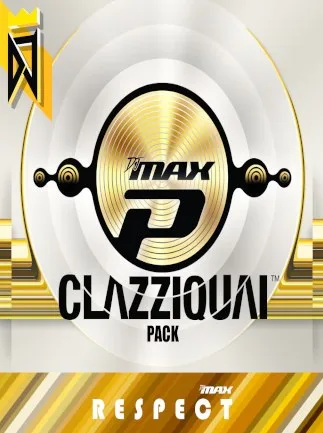
DJMax Respect V: Clazziquai Edition Pack (PC) - Steam Key - GLOBAL - Chinese Language
Region — Global key — no region restriction, activates in every country.
 Can be activated in United States
At a glance
- Region
- GlobalCheck region restrictions
- Platform
- PC
- Format
- Digital keyGenuine & region-checked
- Delivery
- Instant deliveryEmailed in ~30 seconds
- Works on
Windows
Buy DJMax Respect V: Clazziquai Edition Pack (PC) - Steam Key - GLOBAL - Chinese Language key
DJMax Respect V: Clazziquai Edition Pack - Steam Key Dive into the Electrifying World of Clazziquai Project! Enhance your DJMax Respect V experience with the Clazziquai Edition Pack . This DLC features a collection of iconic tracks from the renowned Korean electronic music group, Clazziquai Project, known for their sophisticated and groovy sound. Prepare to groove to fresh beats and challenge yourself with new patterns! Key Features: New Tracks: Includes a selection of classic and popular songs from Clazziquai Project. Fresh Charts: Experience brand new charts designed specifically for each song, providing unique gameplay challenges. Exclusive UI Skin: Customize your DJMax Respect V interface with an exclusive Clazziquai-themed UI skin. Collector's Items: Unlock new plates, avatars, and notes to personalize your profile. Track List (Partial): Fleeting Time First Kiss Romeo N Juliet Creator Electronics ... and more! Platform & Region: Platform: Steam Region: Global - This Steam Key can be activated worldwide. System Requirements: Please refer to the DJMax Respect V base game's Steam page for the minimum and recommended system requirements. This DLC requires the base game DJMax Respect V to function. How to Activate: Launch the Steam client software and log into your Steam account. Click the " + " button at the bottom left of the Steam window. Select "Activate a Product on Steam..." Follow the on-screen instructions to enter your product key and activate the Clazziquai Edition Pack. The DLC will automatically download and install within the DJMax Respect V game. Unlock a New Dimension of Rhythm Gaming The DJMax Respect V: Clazziquai Edition Pack is a must-have for fans of the series and anyone looking for fresh and exciting rhythm game content. Expand your library and challenge your skills with this premium DLC.
How to activate DJMax Respect V: Clazziquai Edition Pack (PC) - Steam Key - GLOBAL - Chinese Language on Steam
- 01
Buy & receive your code
Complete checkout — your code lands in your inbox in ~30 seconds, and is always available under Orders in your Gameplug account.
- 02
Open Steam
In the Steam app: "+ Add a Game" (bottom left) → "Activate a Product on Steam..." (or use the web link below).
- 03
Enter your key
Paste the key (format XXXXX-XXXXX-XXXXX) and accept the Steam Subscriber Agreement.
- 04
Install & play
The game joins your library permanently — install it on any machine you sign in to.
Code not working? Contact support — confirmed-invalid codes are replaced or refunded.







