

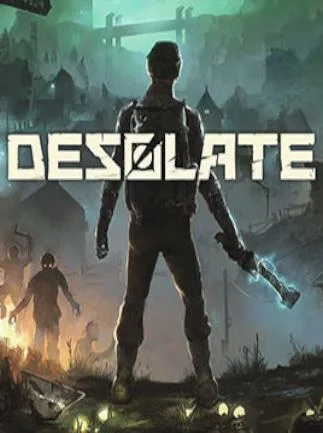
DESOLATE Steam Key - GLOBAL - Chinese Language
Region — Global key — no region restriction, activates in every country.
 Can be activated in United States
At a glance
- Region
- GlobalCheck region restrictions
- Platform
- PC
- Format
- Digital keyGenuine & region-checked
- Delivery
- Instant deliveryEmailed in ~30 seconds
- Works on
Windows
Buy DESOLATE Steam Key - GLOBAL - Chinese Language key
DESOLATE - Steam Key (Global) Explore a Forgotten Island of Horrors DESOLATE is a first-person, open-world survival horror game. Explore the desolate island of Granichny, a place shrouded in mystery and danger. Key Features: Open World Exploration: Freely roam the vast and unsettling landscapes of Granichny Island. Discover abandoned settlements, research facilities, and hidden secrets. Cooperative Gameplay: Play solo or with up to 4 players online. Coordinate your efforts to survive the horrors that lurk around every corner. Intense Survival Mechanics: Manage your resources, craft essential items, and tend to your physical and mental well-being. Scavenge for supplies, food, and medicine to stay alive. Compelling Story: Unravel the truth behind the mysterious events that led to Granichny's desolation. Encounter strange phenomena and uncover the secrets of the "New Tomorrow" corporation. Dangerous Enemies: Face mutated creatures and deranged inhabitants, each posing a unique threat. Adapt your tactics and utilize a variety of weapons to survive. Character Progression: Develop your character's skills and abilities as you progress through the game. Choose a specialization to enhance your combat effectiveness or survival prowess. Platform & Region: Platform: Steam Region: Global - This key can be activated worldwide. System Requirements: Please refer to the Steam store page for DESOLATE for detailed system requirements. Activation Instructions: Log in to your Steam account. Click the "Add a Game..." button at the bottom left of the Steam client. Select "Activate a Product on Steam..." Follow the on-screen instructions to enter the provided key. DESOLATE will be added to your Steam library and ready to download. Note: This is a digital product. No physical media will be shipped. This key provides permanent access to DESOLATE on Steam.
How to activate DESOLATE Steam Key - GLOBAL - Chinese Language on Steam
- 01
Buy & receive your code
Complete checkout — your code lands in your inbox in ~30 seconds, and is always available under Orders in your Gameplug account.
- 02
Open Steam
In the Steam app: "+ Add a Game" (bottom left) → "Activate a Product on Steam..." (or use the web link below).
- 03
Enter your key
Paste the key (format XXXXX-XXXXX-XXXXX) and accept the Steam Subscriber Agreement.
- 04
Install & play
The game joins your library permanently — install it on any machine you sign in to.
Code not working? Contact support — confirmed-invalid codes are replaced or refunded.







