

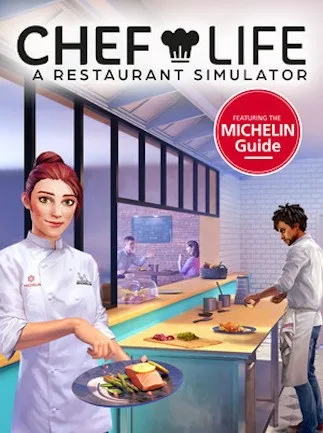
Chef Life: A Restaurant Simulator (PC) - Steam Key - MIDDLE-EAST
Region — Activates in: Middle East & N. Africa.
 Cannot be activated in United States
 Windows
Buy Chef Life: A Restaurant Simulator (PC) - Steam Key - MIDDLE-EAST key
Chef Life: A Restaurant Simulator (PC) - Middle-East Steam Key
Embark on a culinary journey and build your dream restaurant from the ground up in Chef Life: A Restaurant Simulator ! This Steam key provides access to the full game on PC and is valid for use in the Middle-East region .
Key Features:
Build & Design Your Restaurant: Customize every aspect of your establishment, from the dining room layout to the kitchen appliances. Choose your decor, seating arrangements, and create an atmosphere that reflects your culinary vision. Create & Master Your Menu: Craft a delectable menu featuring a wide array of dishes. Research new recipes, experiment with ingredients, and perfect your cooking techniques to earn Michelin stars. Manage Your Team: Hire and train your staff, assigning roles and responsibilities to optimize efficiency and customer satisfaction. Motivate your team and ensure smooth operations during peak hours. Source Fresh Ingredients: Establish relationships with local suppliers to secure the freshest, highest-quality ingredients for your recipes. Negotiate prices and manage your inventory to minimize waste and maximize profits. Serve Demanding Customers: Manage the flow of customers, take orders, prepare dishes with precision, and ensure prompt and courteous service. Satisfying your patrons is crucial for building a strong reputation and earning positive reviews. Realistic Simulation: Experience the authentic challenges of running a restaurant, including managing finances, handling emergencies, and adapting to changing customer preferences. Middle-East Region Compatibility: This Steam key is specifically for use in the Middle-East region.
Platform:
Steam
Region:
Middle-East
What You'll Receive:
Upon purchase, you will receive a Steam key that can be redeemed on the Steam platform to download and play Chef Life: A Restaurant Simulator.
System Requirements:…
How to activate Chef Life: A Restaurant Simulator (PC) - Steam Key - MIDDLE-EAST on Steam
- 01
Buy & receive your code
Complete checkout — your code lands in your inbox in ~30 seconds, and is always available under Orders in your Gameplug account.
- 02
Open Steam
In the Steam app: "+ Add a Game" (bottom left) → "Activate a Product on Steam..." (or use the web link below).
- 03
Enter your key
Paste the key (format XXXXX-XXXXX-XXXXX) and accept the Steam Subscriber Agreement.
- 04
Install & play
The game joins your library permanently — install it on any machine you sign in to.
Code not working? Contact support — confirmed-invalid codes are replaced or refunded.







