

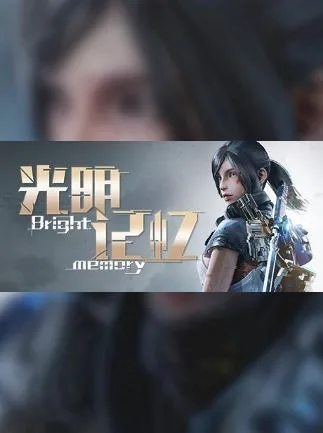
Bright Memory(Early Access) / 光明记忆 Steam Key GLOBAL
Region — Global key — no region restriction, activates in every country.
 Can be activated in United States
At a glance
- Region
- GlobalCheck region restrictions
- Platform
- PC
- Format
- Digital keyGenuine & region-checked
- Delivery
- Instant deliveryEmailed in ~30 seconds
- Works on
Windows
Buy Bright Memory(Early Access) / 光明记忆 Steam Key key
Bright Memory (Early Access) / 光明记忆 Steam Key GLOBAL
Overview: Bright Memory is a first-person shooter (FPS) with action-adventure elements, developed by FYQD-Studio. This product provides a Steam Key for the Early Access version of the game, usable globally. The game combines a range of firearms with close-quarters melee combat and tactical abilities.
Key Features: Combat System: Integrates various firearms, including assault rifles and shotguns, with sword attacks and acrobatic maneuvers. Players can utilize an "EX-Charge" system to deploy special abilities. Early Access Development: As an Early Access title, the game is under active development. Content, features, and performance are subject to change and improvement based on developer updates and player feedback. Platform: Exclusively available on PC via Steam. Region: Global Steam Key.
Gameplay Mechanics: Weapons and Abilities: Players have access to a primary firearm, a secondary firearm, and a melee weapon (sword). The "EX-Charge" system allows for the activation of unique abilities, such as a "Relic Dash" for quick movement or a "Photon Blast" for area-of-effect damage. Enemies exhibit varied attack patterns, requiring players to adapt their combat approach.
Environment and Progression: The game features a linear progression through distinct environments. As an Early Access title, the current build offers a condensed experience, primarily focused on showcasing core combat and movement mechanics. Future updates are planned to expand the narrative and introduce additional levels and gameplay elements.
Technical Aspects (Early Access): Performance may vary depending on system specifications. The developer is actively working on optimization and bug fixes. Players may encounter content that is not yet finalized or fully optimized.
Developer: FYQD-Studio
How to activate Bright Memory(Early Access) / 光明记忆 Steam Key on Steam
- 01
Buy & receive your code
Complete checkout — your code lands in your inbox in ~30 seconds, and is always available under Orders in your Gameplug account.
- 02
Open Steam
In the Steam app: "+ Add a Game" (bottom left) → "Activate a Product on Steam..." (or use the web link below).
- 03
Enter your key
Paste the key (format XXXXX-XXXXX-XXXXX) and accept the Steam Subscriber Agreement.
- 04
Install & play
The game joins your library permanently — install it on any machine you sign in to.
Code not working? Contact support — confirmed-invalid codes are replaced or refunded.







