

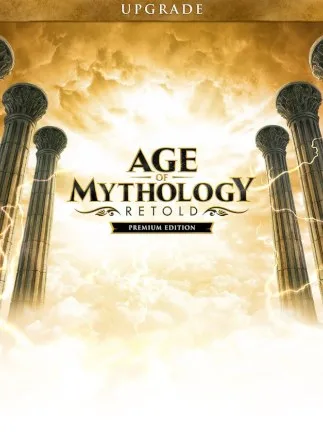
Age of Mythology: Retold Premium Upgrade Edition (PC) - Steam Key - EUROPE
Region — Activates across Europe (EU / EEA countries).
 Cannot be activated in United States
 Windows
Buy Age of Mythology: Retold Premium Upgrade Edition (PC) - Steam Key - EUROPE key
Age of Mythology: Retold Premium Upgrade Edition (PC) - Steam Key - EUROPE
Enhance your Age of Mythology: Retold experience with the Premium Upgrade Edition. This Steam key is valid for use in Europe and delivers a host of exclusive in-game content.
Key Features: Platform: Steam Region: Europe Premium Content: Unlock exclusive gods, units, and cosmetic items not available in the standard edition. Enhanced Visuals: Enjoy improved textures, models, and visual effects designed to elevate your gameplay. Extended Campaign: Delve deeper into the world with additional campaign scenarios that expand the lore and challenge your strategic skills. Digital Soundtrack: Receive a digital copy of the game's epic soundtrack, featuring remastered scores and new compositions. Exclusive Avatars & Portraits: Customize your in-game profile with unique avatars and portraits to showcase your status.
What's Included: Steam Key for Age of Mythology: Retold Premium Upgrade Edition Access to all Premium Edition in-game content upon redemption Digital Soundtrack download
System Requirements: Please ensure your PC meets the minimum system requirements for Age of Mythology: Retold to ensure optimal performance. Refer to the game's Steam page for specific requirements.
Redemption Instructions: After purchase, you will receive a Steam key. To redeem the key: Open the Steam client on your PC. Click on "Games" in the top menu. Select "Activate a Product on Steam..." Follow the on-screen instructions to enter your key. The Age of Mythology: Retold Premium Upgrade Edition content will be added to your Steam library.
Important Information: This is a digital product. No physical disc is included. The Steam key is region-locked to Europe. It will only function on Steam accounts registered in Europe. Requires the base game Age of Mythology: Retold to play.
How to activate Age of Mythology: Retold Premium Upgrade Edition (PC) - Steam Key - EUROPE on Steam
- 01
Buy & receive your code
Complete checkout — your code lands in your inbox in ~30 seconds, and is always available under Orders in your Gameplug account.
- 02
Open Steam
In the Steam app: "+ Add a Game" (bottom left) → "Activate a Product on Steam..." (or use the web link below).
- 03
Enter your key
Paste the key (format XXXXX-XXXXX-XXXXX) and accept the Steam Subscriber Agreement.
- 04
Install & play
The game joins your library permanently — install it on any machine you sign in to.
Code not working? Contact support — confirmed-invalid codes are replaced or refunded.
All sellers
 EuropeUnavailable







