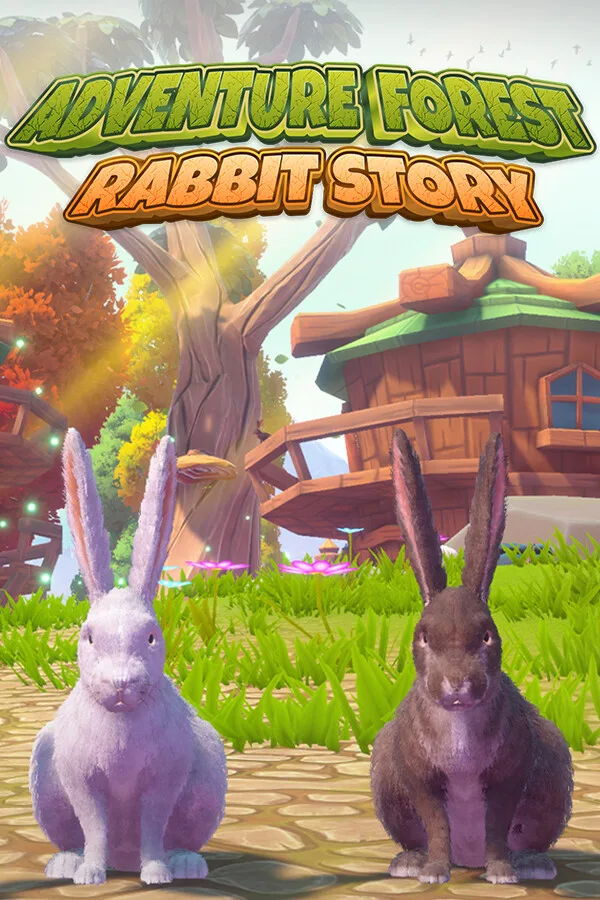
Adventure Forest: Rabbit Story PC
Region — Global key — no region restriction, activates in every country.
 Can be activated in United States
 Windows
Screenshots & trailer
Buy Adventure Forest: Rabbit Story key
Adventure Forest: Rabbit Story invites you to an open-world adventure filled with realistic rabbits and fascinating nature landscapes. The game aims to provide a unique experience for adventure and exploration enthusiasts. In this journey, where you will start by customizing your own rabbit, you will dive deep into the mysterious forests and experience unforgettable adventures.
Starting with the free rabbit given at the beginning of the game, get a chance to earn in-game coins and unlock four other special bunnies. Explore the rich world of the game with these rabbits, each of which has different characteristics. Use your intelligence and skills to survive in this dynamic environment where each player can develop their own unique strategies.
The Story of The Game The Arrival of the Storm: A long-awaited storm has appeared deep in the forest. Thunder and lightning illuminated every corner of the forest, while the trees bent and bent under the influence of the wind. This severe storm brought poisonous mushrooms from other lands to the rabbit village. These fungi disturbed the natural balance of the forest, causing poisoning of animals and contamination of water resources. As the rabbit hero, you observed the effects of this disaster and began to worry about your village.
Rise of Poisonous Mushrooms: After the storm, poisonous mushrooms spread rapidly, and the animals in the village began to be poisoned one by one. Panic and desperation prevailed in the rabbit village. In the face of this situation, where the water was polluted and the lives of animals were threatened, the village people began to pray to the spirit of the forest. But after this disaster, the forest spirit disappeared. To overcome this crisis, the village elders decided to resort to an old legend: you, the rabbit hero, had to find the spirit of the forest and destroy poisonous mushrooms.…
How to activate Adventure Forest: Rabbit Story on Steam
- 01
Buy & receive your code
Complete checkout — your code lands in your inbox in ~30 seconds, and is always available under Orders in your Gameplug account.
- 02
Open Steam
In the desktop client: top-left menu "Games" → "Activate a Product on Steam…" (or use the web link below).
- 03
Enter your key
Paste the key (format XXXXX-XXXXX-XXXXX) and accept the Steam Subscriber Agreement.
- 04
Install & play
The game joins your library permanently — install it on any machine you sign in to.
Code not working? Contact support — confirmed-invalid codes are replaced or refunded.