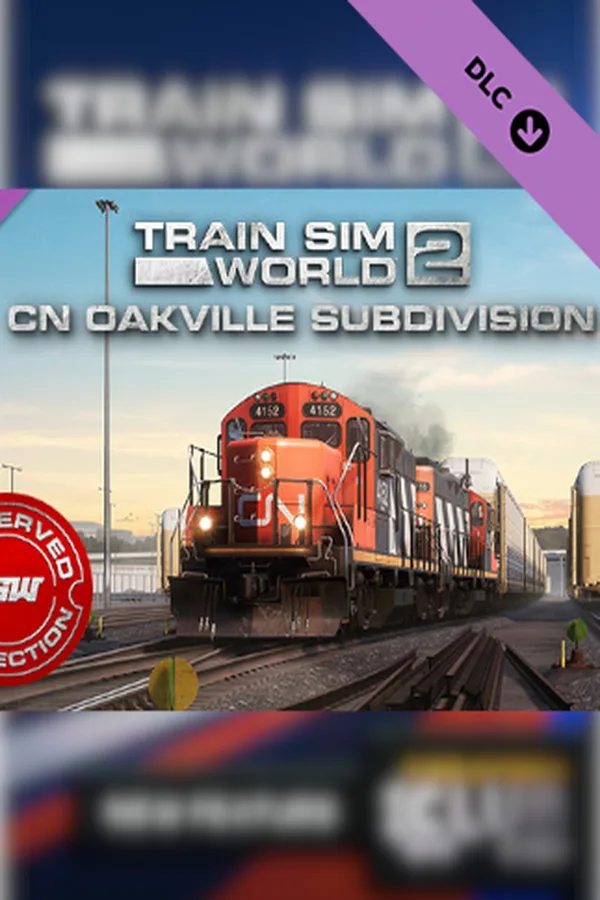
Train Sim World 2: Canadian National Oakville Subdivision: Hamilton - Oakville Route Add-On DLC
Region — Works worldwide — no region restriction.
 Can be activated in United States
 Windows
Screenshots & trailer
Buy Train Sim World 2: Canadian National Oakville Subdivision: Hamilton - Oakville Route Add-On DLC key
Includes: Train Sim World 2: Canadian National Oakville Subdivision: Hamilton - Oakville Route Add-On (DLC) Experience bustling freight yards, heavy industries and classic motive power set upon stunning Lake Ontario territory with Train Sim World® 2: Canadian National Oakville Subdivision. Operate your trains over a rail network represented how it is today, complete with a multitude of lineside industries that are served day-in, day-out by rail. Reproduced in exquisite detail, every rail yard, signal and milepost feel so real you could almost reach out and touch them.It’s your job to haul freight along Canadian National’s bustling Oakville Subdivision. Manage the complexities of serving various industries, picking up and dropping off tonnage with switching moves aplenty. Whether you’re driving, riding along or watching the action, experience all the sights and sounds of a busy railroad.Take control of a duo of Canadian National’s freight fleet, the GP9rm – complete with its spacious post-rebuild cab – and the GP38-2, which together work freight duties along the Oakville Subdivision. Featuring authentic Diesel-Electric simulation underpinned with expert technical knowledge and real-world data, the performance, sounds and feel has been accurately reproduced to make them feel just like the real thing.Train Sim World® 2: Canadian National Oakville Subdivision caters for players of all ability levels with accessible training for beginners and advanced procedures for experts. Whether you're looking to get started driving trains or refreshing your expert knowledge, Train Sim World® 2 has it covered. Feel the detail as you step into the cab, take control then live out your dreams exploring the highly detailed and immersive environment of the Oakville Subdivision!Choose how you want to play in Train Sim World® 2: Canadian National Oakville Subdivision.…
How to activate Train Sim World 2: Canadian National Oakville Subdivision: Hamilton - Oakville Route Add-On DLC
- 01
Buy & receive your code
Complete checkout — your code lands in your inbox in ~30 seconds, and is always available under Orders in your Gameplug account.
- 02
Open PC
Launch PC and find "Activate a product" / "Redeem code" in the account or store menu.
- 03
Enter your key
Paste the key — the product is added to your library instantly.
Code not working? Contact support — confirmed-invalid codes are replaced or refunded.
Train Sim World 2: Canadian National Oakville Subdivision: Hamilton - Oakville Route Add-On DLC system requirements
All sellers
What our customers say
You might also like