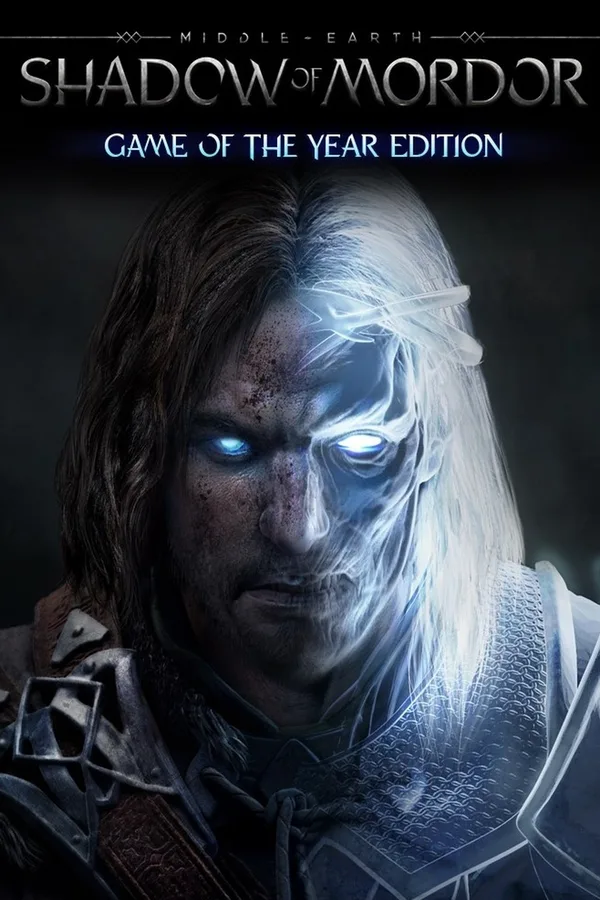
Middle-Earth: Shadow of Mordor - GOTY Edition Upgrade (EU)
Region — Works worldwide — no region restriction.
 Can be activated in United States
 Windows
Buy Middle-Earth: Shadow of Mordor - GOTY Edition Upgrade key
Middle-Earth: Shadow of Mordor - GOTY Edition Upgrade and the previously available Season Pass are the same product. If you had previously purchased Middle-earth: Shadow of Mordor Premium Edition, you are already entitled to all the content of the Upgrade. Includes 30 items: The Lord of the Hunt Story Pack, The Bright Lord Story Pack, Test of Power Challenge Mode, Test of Speed Challenge Mode, Test of Wisdom Challenge Mode, Test of the Wild Challenge Mode, Test of the Ring Challenge Mode, Endless Challenge Mode, Test of Defiance, The Dark Ranger Skin, Captain of the Watch Skin, Lord of the Hunt Skin, The Bright Lord Skin, Power of Shadow Skin, Lithariel Skin, Hidden Blade Rune, Deadly Archer Rune, Flame of Anor Rune, Rising Storm Rune, Orc Slayer Rune, Defiant to the End Rune, Elven Grace Rune, Ascendant Rune, One with Nature Rune, Guardians of the Flaming Eye Warband Mission, The Berserks Warband Mission -The Skull Crushers Warband Mission, The Bloodhunters Mission, The Flesh Burners Mission and Photo Mode. In Middle-earth: Shadow of Mordor, gamers take on the role of Talion, a valiant ranger whose family is slain in front of him the night Sauron and his army return to Mordor, moments before his own life is taken. Resurrected by a Spirit of vengeance and empowered with Wraith abilities, Talion ventures into Mordor and vows to destroy those who have wronged him. Through the course of his personal vendetta, Talion uncovers the truth of the Spirit that compels him, learns the origins of the Rings of Power and ultimately confronts his true nemesis. Every enemy that players face is a unique individual, differentiated by their personality, strengths and weaknesses. Through the Nemesis System, enemy relationships and characteristics are shaped by player actions and decisions to create personal archenemies that remember and adapt to the player and are distinct to every gameplay session.…
How to activate Middle-Earth: Shadow of Mordor - GOTY Edition Upgrade on Steam
- 01
Buy & receive your code
Complete checkout — your code lands in your inbox in ~30 seconds, and is always available under Orders in your Gameplug account.
- 02
Open Steam
In the desktop client: top-left menu "Games" → "Activate a Product on Steam…" (or use the web link below).
- 03
Enter your key
Paste the key (format XXXXX-XXXXX-XXXXX) and accept the Steam Subscriber Agreement.
- 04
Install & play
The game joins your library permanently — install it on any machine you sign in to.
Code not working? Contact support — confirmed-invalid codes are replaced or refunded.
Middle-Earth: Shadow of Mordor - GOTY Edition Upgrade system requirements
Middle-Earth: Shadow of Mordor - GOTY Edition Upgrade reviews & ratings
All sellers
 EuropeEurope50 in stock
What our customers say
You might also like