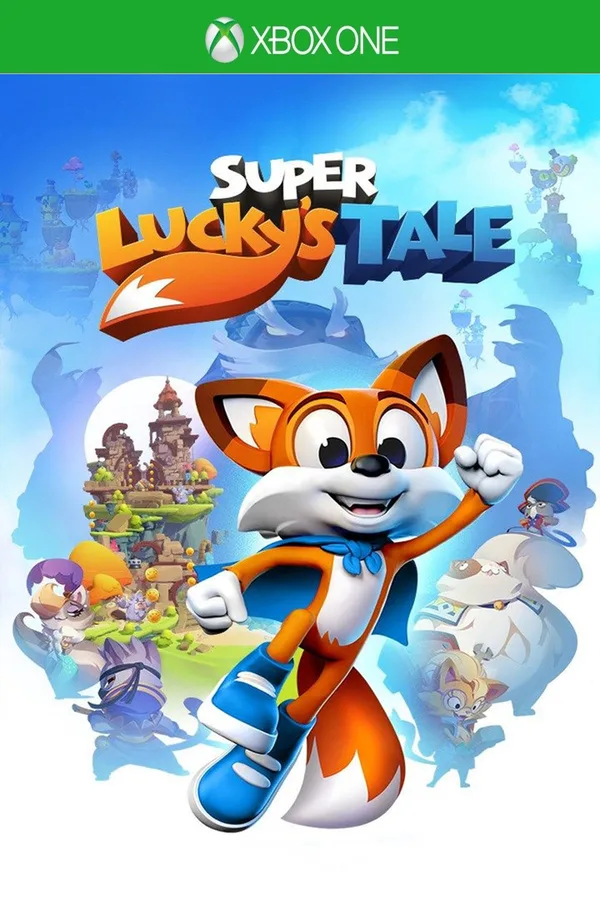
Super Lucky's Tale: Standard Edition (Xbox One/Win10) (US)
Region — Activates in United States only.
 Can be activated in United States
At a glance
- Activation
- United StatesUSCheck region restrictions
- Platform
- Xbox One
- Format
- Digital keyCheck the region above matches your account
- Delivery
- Instant for in-stock keysSecure reveal link by email
- Works onXbox One / Series X|S
Windows
Screenshots & trailer
Buy Super Lucky's Tale key
Welcome to Adventure! Super Lucky’s Tale is a delightful, playground platformer for all ages that follows Lucky, the ever-optimistic, energetic, and lovable hero, on his quest to find his inner strength and help his sister rescue the Book of Ages from Jinx. Jinx is the scheming and mysterious villain trying to reshape the world, but for what reason? Along the way, encounter a hilarious supporting cast of friends and adversaries. Lucky must confront the nefarious Kitty Litter, Jinx's mischievous kids - self-taught villains who might not be getting Jinx's plans quite right. Lucky meets friends and allies along the way too. He meets misplaced Yetis, Kookie Spookies, a village of farming worms, and other colorful friends inhabiting the Book of Ages. Test your skills with puzzles and nerve-wracking obstacle courses. Explore hidden secrets of new worlds with Lucky's signature burrow move. Dive into unpredictable foxholes, or try devilish side scrolling challenge levels to unlock additional rewards. Head back to the era of classic platformers with challenges players of all skill levels and all ages can enjoy.
How to activate Super Lucky's Tale on Microsoft / Xbox
- 1
Buy & receive your code
Complete checkout — for in-stock items a secure reveal link is emailed within minutes and your code is shown under Orders in your Gameplug account. Pre-orders are delivered on release day.
- 2
Open redeem.microsoft.com
Sign in with the Microsoft account you game with (or on console: Store → press the View button → "Redeem").
- 3
Enter the 25-character code
Codes look like XXXXX-XXXXX-XXXXX-XXXXX-XXXXX. Select Next and confirm — the product or credit is applied.
- 4
Find it
Money goes to your Microsoft account balance; games appear in your library. Only Xbox Play Anywhere games include the PC version.
Code not working? Contact support — confirmed-invalid codes are replaced or refunded.
Super Lucky's Tale system requirements
Super Lucky's Tale reviews & ratings
Other versions & regions
What our customers say
You might also like