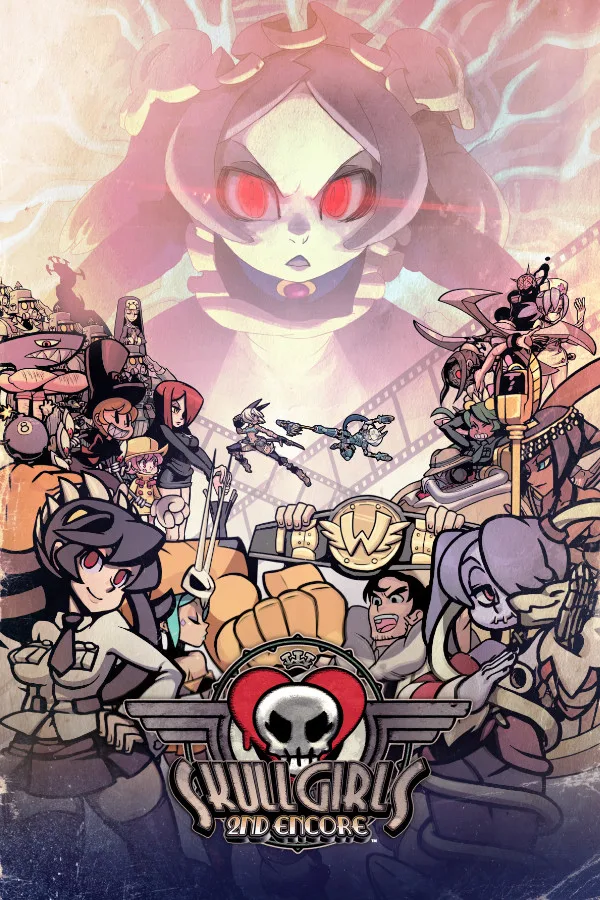
Skullgirls 2nd Encore Steam Gift
Region — Global key — no region restriction, activates in every country.
 Can be activated in United States
At a glance
- Activation
- GlobalCheck region restrictions
- Platform
- PC
- Format
- Digital keyCheck the region above matches your account
- Delivery
- Sent as a store giftTo the account you name at checkout
- Works on
Windows
Screenshots & trailer
Buy Skullgirls 2nd Encore key
Skullgirls 2nd Encore is a beautiful, fast-paced, and critically acclaimed 2D fighting game that puts players in control of fierce warriors in an extraordinary Dark Deco world. Each of the 18 characters (14 base-game and 4 DLC fighters) features unique gameplay mechanics and plenty of personality.
Skullgirls brings casual and competitive fighting game fans together with Story Mode, gorgeous hand-drawn animation, and a soundtrack featuring Michiru Yamane. Fight with one character or build a team of two or three, choose custom assists, and find new ways to extend your combos. Learn the fundamentals in tutorials, then explore your team’s possibilities in training mode. Play with friends locally or compete online with GGPO rollback netcode. Get ready for the 2027 Skullgirls Pro Tour From community tournaments to Evo’s main stage, Skullgirls has built a competitive legacy around its players. Build your team, sharpen your play, and get ready for the 2027 Skullgirls Pro Tour. Expand your roster The optional Season 1 Pass adds Annie, Umbrella, Black Dahlia, and Marie, bringing the roster to 18 fighters. The four DLC fighters are also sold individually and require the base game.
Steam Deck Verified.
How to activate Skullgirls 2nd Encore on Steam Wallet
- 1
Buy & receive your code
Complete checkout — for in-stock items a secure reveal link is emailed within minutes and your code is shown under Orders in your Gameplug account. Pre-orders are delivered on release day.
- 2
Open the redemption page
Sign in to Steam in a browser and open "Redeem a Steam Gift Card or Wallet Code" (the button below).
- 3
Enter the code
Enter it under "Steam Wallet Code" and select Continue — the funds appear in your Steam Wallet.
- 4
Check the currency
Pick a code in your Steam Wallet's currency: Steam can refuse a code in another currency.
Steam Wallet codes are tied to a currency — match the code currency to your Steam Wallet currency.
Code not working? Contact support — confirmed-invalid codes are replaced or refunded.
Skullgirls 2nd Encore system requirements
Skullgirls 2nd Encore reviews & ratings
Other versions & regions
All sellers
What our customers say
You might also like